Business automation · Phoenix area & nationwide
Business automation for Phoenix companies
We set up the follow-up work that eats your day, like answering common questions, texting back missed calls, sending reminders and invoices and asking for reviews, so it happens on time without anyone having to remember.
 Sample business · AI Front Desk
Your online check-up:
We couldn’t reach that site. Check the address, or send it to us and we’ll look by hand.
Get these fixed: free homepage previewAutomated check of your public homepage. Results are a starting point, not a full audit.
The day-to-day
Where the hours go
- 01
Missed calls
When you’re on a job or with a customer, the call goes to voicemail and the caller tries the next business.
- 02
Follow-up that depends on memory
Reminders, quote follow-ups and check-ins happen when someone remembers, often late at night.
- 03
Tools that don’t talk
Leads in one app, the calendar in another and invoices in a third, with the same details typed in three times.
What we build
What we automate
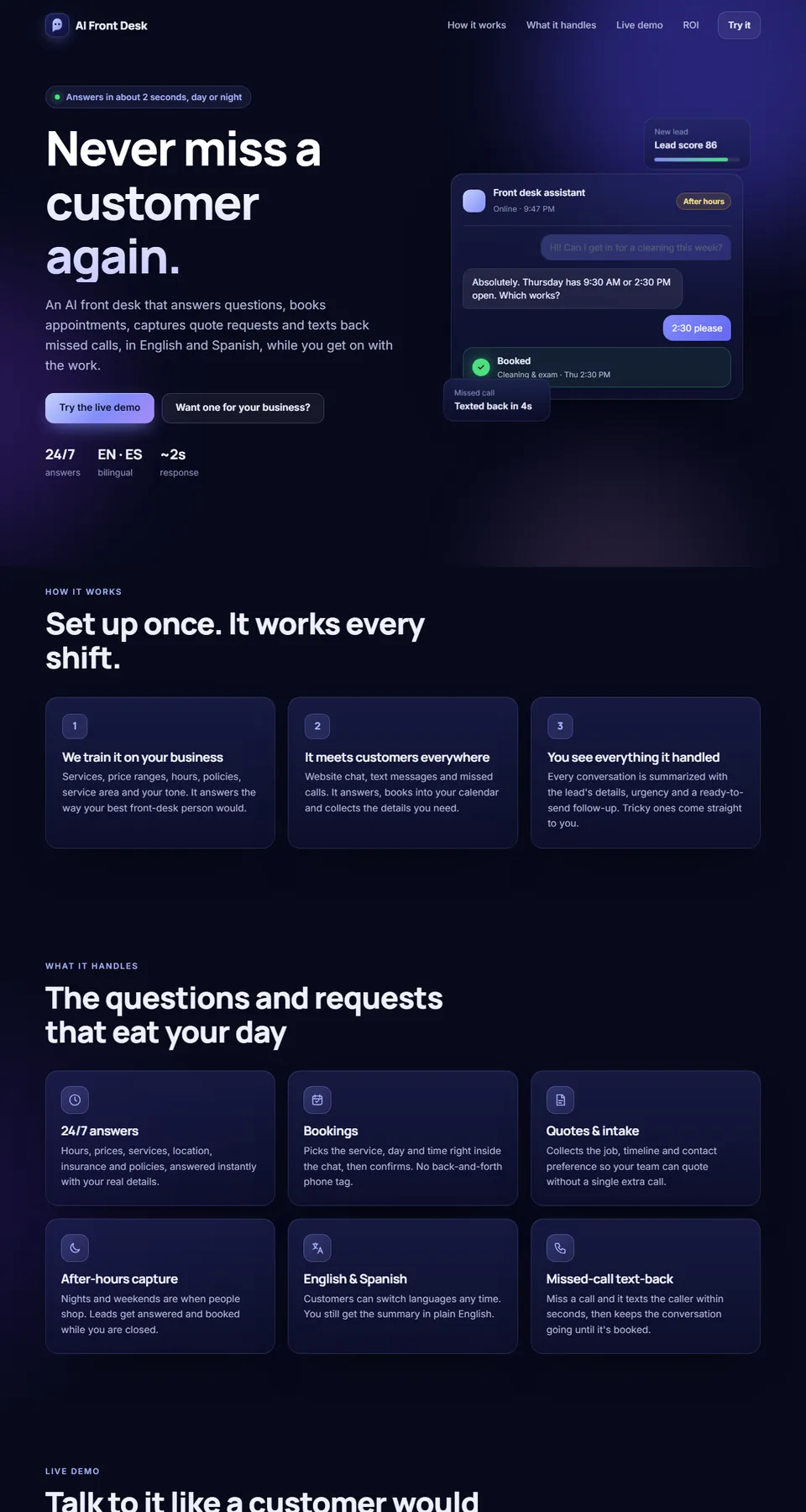
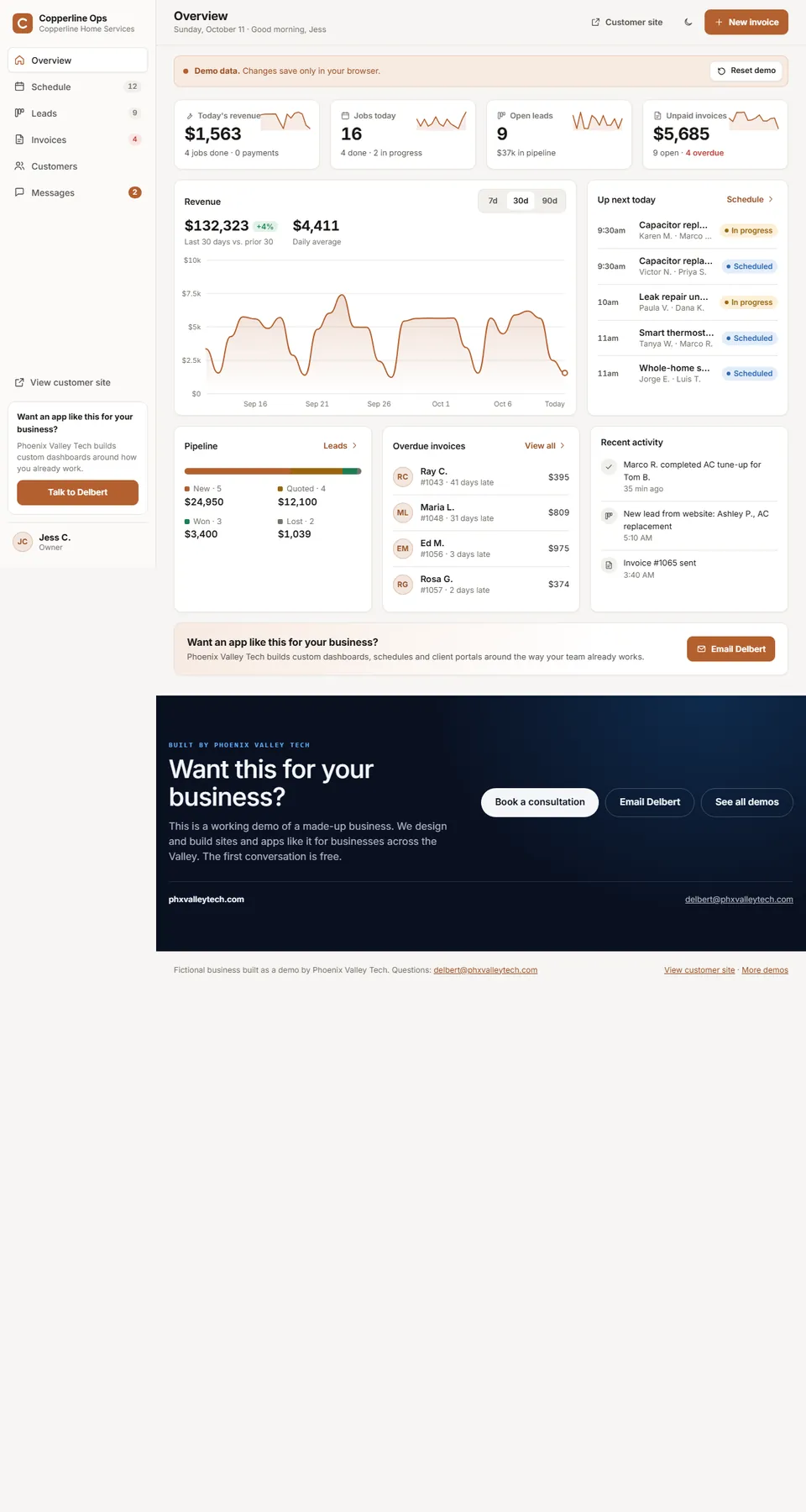
You can try the AI Front Desk and the owner dashboard below. Every setup is built around the tools and steps you already use.
- 01
AI front desk
Answers common questions, captures leads and books appointments around the clock, in English or Spanish, with a summary of every conversation for you.
Talk to the AI Front Desk demo - 02
Missed-call text-back
When you can’t pick up, the caller gets a text right away with a way to book or reply.
See missed-call text-back - 03
Reminders and follow-ups
Appointment reminders, quote follow-ups and check-ins sent on a schedule you set.
- 04
Invoicing and payments
Invoices go out when a job is marked done, customers pay from their phone, and reminders go out for unpaid ones.
See invoices in Copperline Ops - 05
Review requests
A friendly request after the job, sent at the right time, with a direct link to leave a review.
- 06
CRM and tool integrations
Your website, calendar, invoicing and CRM connected, so information moves between them instead of being retyped.
Open the owner dashboard
Example
A new customer, handled automatically.
A quote request comes in after hours. Nobody is at the desk, and it still gets handled.
- Instant reply. The customer gets a text with open times while they’re still on your site.
- Booked without a call. They pick a window, and it lands on your calendar.
- Reminded the day before. The reminder and arrival window go out on their own.
- Paid and reviewed. When the job is done, the invoice and a review request follow.
Every message and timing is set up around how you already work, and you can step in at any point.
See it working
Click through it
on your phone.
Each demo is a sample business we made up to show what’s possible. Names, people and prices are fictional, and nothing you enter is sent anywhere.
How it works
Three steps, no surprises.
- 1
Free preview in 24 hours
Tell us about your business and we send a first look at your new homepage. It’s free, with no obligation.
- 2
Approve the design
Click through it, ask for changes, and approve the design before we build anything.
- 3
Live in 2–3 weeks
Most small-business sites go live in 2–3 weeks after approval. Booking, portals and custom tools are planned with you.
Which tools does it work with?
We connect to many common tools for calendars, payments, invoicing, email, text messages and CRMs. When a tool has no connection we can use, we build a custom one or suggest a simpler setup. We check what you use before we quote and tell you plainly what will connect.
Will an AI assistant say the wrong thing to customers?
We set it up with your services, hours and policies, and with the questions it should hand to a person. It can be limited to topics you approve, and you can read every conversation and adjust it.
Do I need new software to start?
Usually not. Most automation starts with the tools you already use. If something you use is holding you back, we explain the options and let you decide.
How much time will this save me?
It depends on your business, so we won’t put a number on it. On a free call we go through where your hours go and which tasks are worth automating first.
Your business next
Let the busywork run itself.
Tell us about your business and we’ll send a first look at your new homepage within 24 hours. It’s free, with no obligation.
Not in Phoenix? We work with businesses nationwide, by video, phone and email.